How to Add Cloud Saves and Player Accounts Without a Backend
Steam, Google Play and iCloud run cloud saves for games published there. Browser and cross-platform games need accounts plus a storage service instead.
A cloud save needs three things: a way to tell players apart, storage that outlives their device, and a rule for what happens when two devices disagree. Nothing on that list is a server you have to run. If you publish on Steam, Google Play or the App Store, the platform operates all three and your job is configuration plus a few API calls. If your game lives in a browser, or the same player sits at a PC and on a bus with a phone, you rent the plumbing from a service instead of building it. Rolling a backend of your own is the third route, and for most indie games it is the most expensive way to buy a feature the store was already including.
The request keeps landing in the community reads we run: the game works, players ask whether progress carries over to a new phone or a second machine, and the developer resigns themselves to "learning backend" for what should have been a settings page. This article walks the routes that exist right now, what each one costs, where each one breaks, and the part nobody demos, conflict resolution. The other half of the problem, what to save and in what format, is the save system guide; this one is the sync half. A disclosure before we start: this blog belongs to Egmatic, a no-code 2D editor in pre-alpha, and where accounts and saves sit in our own plans is near the end.
Quick answer
| Your situation | Use this | Why |
|---|---|---|
| Shipping on Steam | Steam Cloud, with Auto-Cloud if you want zero code | Free with Steamworks, syncs on launch and exit, every player already has a Steam identity |
| Shipping on Google Play | Play Games Services Saved Games | Platform storage at 3 MB per save, with conflict handling designed into the API |
| Shipping on iOS or macOS | iCloud key-value storage, CloudKit past 1 MB | Syncs across the player's Apple devices; Game Center carries the identity |
| Web build on itch.io or your own site | Engine accounts or a backend with a REST or JavaScript API | A browser game has no store to lean on, and localStorage is a cache, not a save |
| One game, several platforms | A game backend: Firebase, Nakama, PlayFab or LootLocker | One cross-platform identity attached to one save |
| You want to learn servers | Roll your own | Fine as a learning project, expensive as a product decision |
The deciding question is the same one that sorted the leaderboard routes: where do your players log in? A save is only as portable as the identity attached to it. Store builds inherit an account system on day one; a web build starts with anonymous nobodies until you give them a sign-in. Choose the route that already owns your players' identities, and the storage follows.
What a cloud save actually needs
Seen as jobs rather than products, the feature is four decisions, and each route below is a different answer to who does each job.
- Player identity. Every save needs an owner. Stores solve this with the account the player already has, which is why store routes feel nearly free. Web games need nicknames, device IDs or a login, and that choice sets how much a save is worth: progress attached to nothing is progress you cannot restore.
- Storage that outlives the device. The save has to land somewhere that survives a phone in a lake. This is the only part that feels like "backend", and it is one write call on every route here.
- A sync rule. When the laptop and the phone both have opinions about yesterday evening, something has to decide. Platforms hand you the conflict and a hook to resolve it; services give you primitives like versioned writes. The rule itself is yours to design, and designing it before launch is the difference between a paragraph of code and a support queue.
- Integrity. Anything a client writes, a client can forge: save-scumming by restoring a copied file, or a hex-edited wallet. For a single-player progression save this barely matters; the moment saves touch anything with value, the write belongs on the server side of whatever route you picked.
Drop the myth that "no backend" means no servers exist. Every route in this article runs on servers; the question is whose, and who gets paged when they fall over.
Route 1: The store you publish on already runs one
Steam Cloud
Steam Cloud is remote file storage wired into the client. You set a byte quota and a file count per user on the Steam Cloud settings page in App Admin, and the files your game writes are replicated to Steam's servers after the game exits. When the player changes computers, the files download before the game launches, so the local code just reads disk as usual.
The route that matters to a no-code developer is Auto-Cloud: it uses Steam Cloud without writing code or modifying the game in any way. You list the file groups that should persist, and Steam syncs them when the application launches and exits. Two practical notes from the same documentation: keep machine-specific settings such as video quality out of the synced set, because they will fight across machines, and test through the built-in mode that limits cloud access to accounts holding a developer comp license before you expose it to every player. If you need explicit control, the ISteamRemoteStorage API can enumerate, read, write and delete cloud files from your code instead.
Google Play Games Services
On Android, Saved Games (the Snapshots API) gives each player cloud storage keyed to their Play Games identity. The numbers are generous for a 2D game: each saved game file is capped at 3 MB, cover images at 800 KB, and you are not charged for the storage. When device data and cloud data conflict, the game receives both and must resolve them with a policy you designed, usually by letting the player choose. Offline play works, writes queue locally and sync once connectivity returns. One trap: guest-mode players are tied to a single device, so their progress is neither saved nor restored anywhere else.
Android gives you a second mechanism that is easy to mistake for this one. Auto Backup uploads up to 25 MB of file-based app data to the player's Google Drive on Android 6.0 and newer, is enabled by default, and runs when the system batch-schedules it, roughly every few hours. It is a device-lifecycle feature, not a game feature: it restores on reinstall and device migration, but it has no notion of a game login. Fine to leave on, wrong to build on.
iCloud
On Apple platforms, NSUbiquitousKeyValueStore is the small, synchronous option: a key-value store that propagates across all of a person's devices signed into the same Apple account, with hard limits of 1,024 keys and 1 MB of total value storage. A save that fits a megabyte, which most 2D saves do, syncs with a dictionary API and no server code. Past that size, CloudKit is the structured-database route with its own quotas. Game Center supplies the identity and the leaderboards, but it is not general save storage, so the pairing you want is Game Center accounts plus iCloud data.
The limitation all three stores share is inherited from their strength: they are silos. A Steam save will never meet a Google Play save, because the identities behind them never meet. If your game ships on several stores and progress should travel between them, that is Route 2.
Route 2: A service whose product is exactly this
A managed backend is a service whose product is the four jobs above, shaped for games or apps. For web builds it is the default answer, because itch.io serves your HTML5 game as static files and offers nothing server-side to call.
| Service | What it is | Save specifics | Cost shape |
|---|---|---|---|
| Firebase | Google's app platform | Authentication with anonymous, email and federated sign-ins, then Cloud Firestore or Realtime Database as the store | Auth free up to 50K monthly active users; Firestore free up to 1 GiB stored, 20K writes a day |
| Nakama | Open-source game server (Apache-2.0), self-hosted or managed | Storage engine of collections and objects with per-owner permissions, and versioned conditional writes that are rejected when the version check fails | Free self-hosted; you operate it |
| PlayFab | Microsoft's managed game platform | Player Data as key-value pairs in three trust tiers: read-only (server-written, player-visible), publisher (shared across titles), internal (server-only) | Usage-metered |
| LootLocker | Managed backend aimed at indies | Player accounts that sign in through Steam, Google Play, Apple, Epic, Xbox, PlayStation or Nintendo | 30-day trial capped at 1,000 monthly active players; free non-commercial licence; then $0.015 per extra player |
Two entries deserve a closer look. Nakama's versioned writes are conflict detection as a primitive: each stored object carries a version, a write presenting a stale version is rejected, and the losing write is told it lost. That is the mechanism you would otherwise build yourself on a raw database. PlayFab's trust tiers encode the integrity decision: state the player can see but only the server may write lives in read-only data, while anything economic that must never be client-writable has a tier that forbids it.
The honest framing of this route: these are backends. You are not running one, which is the entire point. The first route is configuration, the second is integration, and rolling your own is engineering.
The no-code route
If you build in GDevelop, both halves of the feature exist without code. Player Authentication is built in: an authentication window and banner, expressions such as PlayerAuthentication::Username(), and a PlayerAuthentication::UserID() that is documented as stable across sessions and devices for the same account, which is exactly the handle a cloud save needs. For the data half, the official Firebase extensions cover authentication, Cloud Firestore and the Realtime Database, so the save is a documented action rather than a REST client. The overview of no-code 2D engines places these services in context if you are still choosing a tool.
The other no-code engines do not ship player accounts. Construct has no first-party service, but its JavaScript event sheets can call any REST API, so Route 2 applies directly. Godot users reach for Nakama's Godot clients or the same REST calls. In every case the shape of the work is identical: sign the player in, read on launch, write at checkpoints, resolve conflicts when they are reported.
The part nobody demos: conflicts
This is the part the demos skip and the store documentation buries in a middle paragraph. Two devices, one save, both believe they are current. The options, in rising order of effort:
- Newest wins. Compare timestamps and keep one. Simple, and subtly wrong: device clocks drift, and the "newest" run may be the one with less progress. Use a timestamp the server stamps, not the client's idea of now, when the route allows it.
- Player decides. Present both states and let the player choose, the pattern Play Games Services recommends. It costs a dialog and some humility, and it is the right default where "5 hours, castle" versus "40 minutes, cave" is a real choice.
- Field-level merge. Union the changes per field. Only worth it when the game state separates cleanly (settings versus progress versus collectibles), and every merged field is one you must version and test.
Three habits keep conflicts rare and survivable regardless of policy. Save state, not derived data, so a merged or older save still recomputes correctly after an update. Carry a format version inside the payload, because the first content patch is when an unversioned save becomes a support ticket. And write less, deliberately: checkpoint saves give the sync system fewer opportunities to disagree than an autosave every fifteen seconds.
What rolling your own actually costs
The happy path is seductive: one table, one endpoint, a JSON blob in and out, forty lines on a free tier. Then the game ships and the actual product arrives:
- Authentication with real consequences: password resets, account recovery, and an inbox players trust.
- Atomic writes and backups, because a save database has every corruption story a save file has.
- The conflict and migration logic you just read about, now without a platform's help.
- Data protection duties: export and deletion requests land on you personally, not on a vendor's compliance team.
- Rate limits, monitoring, and a plan for the day the free tier ends or the region blinks.
None of this is hard in isolation; all of it is attention. The rule from the leaderboard article still holds: roll your own when the server is part of the game you are making, and take Route 1 or Route 2 when it is not.
Shipping it this week
- Inventory what must sync. Player state and unlocks travel; derived data and settings mostly should not, since the rule about state versus recomputed data matters double once bytes leave the device.
- Pick the route by where players log in. Store builds take Route 1, web builds take Route 2 or the engine's services, many-store games take Route 2 with an identity you rent.
- Version the save format before the first upload. The first content patch after launch is the classic moment an unversioned save breaks.
- Write the conflict policy down, in one sentence, before writing code. "The player picks" is a complete policy. An unwritten policy is a bug you meet in production.
- Test like a player, not a developer. Two devices, a reinstall, an offline stretch, and a save from two versions ago. The reinstall case is the one that catches store-route mistakes.
- Measure whether it mattered. Cloud saves are a retention bet, and the game analytics guide covers the day-1 and day-7 numbers that tell you whether the bet paid.
Common mistakes
- Treating localStorage as the save system. It is a per-browser cache the player can clear with two clicks; build on it and every site-data purge reads as "your game deleted my progress".
- No format version in the payload. The first update after launch breaks every save at once, at the exact moment your most committed players are playing.
- No conflict policy. Not choosing is choosing last-write-wins with client clocks, the worst version of the cheapest rule.
- Trusting client writes for anything with value. Currency, unlocks tied to purchases, leaderboard-adjacent progress: if it matters, the write belongs server-side, which is what PlayFab's read-only tier exists for.
- Confusing Auto Backup with cloud saves. Auto Backup restores a device, not a player; building on it means a borrowed phone has no progress and you have no fix.
- Testing only on fresh installs. Fresh installs never conflict. Two devices with history are where the design actually lives.
- Building accounts before the game needs them. Sign-in in front of a half-finished game converts nobody; the first mobile game guide and the community playbook are the levers that put players in front of your save system at all.
- Ignoring the leaderboard next door. Players read accounts, saves and leaderboards as one feature, "my stuff"; design the identity once so both hang off it.
How Egmatic fits
We will be direct about the stage: Egmatic is a no-code 2D editor and engine, built on AI, currently pre-alpha. The reason this article exists on our blog is that the demand keeps arriving in our community reads: saves and accounts without a backend are among the most recurring asks, right behind the leaderboards, and phrased the same way, as resignation about hand-rolling a server. That demand belongs on our roadmap as part of the ship layer, the publishing side of the editor, because persistence is a publishing concern players expect and no-code developers should never have to assemble from a database and a tutorial. We are not announcing dates; pre-alpha honesty means dates arrive when we can keep them.
The frame we build toward is the one this article argues for: you direct the game, the tooling executes the plumbing, and you own what ships, saves included. If a 2D editor whose publishing layer includes accounts, cloud saves and leaderboards is the workflow you are waiting for, watch it take shape on the waitlist at egmatic.com, and tell us there what your saves must do, because in pre-alpha the requests that arrive now are the ones that steer the build.
Shape what persistence becomes.
Player accounts and cloud saves without a backend sit on the Egmatic ship-layer roadmap. Reply on the waitlist with what your game needs: the ideas sent during pre-alpha are the ones that steer the build. Build news goes to that list first.
Conclusion
Pick the route by where your players log in, because identity decides everything downstream. On a store, cloud saves are configuration: Auto-Cloud on Steam needs no code at all, Play Games Saved Games gives you 3 MB per save and a conflict hook, iCloud key-value storage gives Apple players a megabyte of synced state. On the web or across stores, rent the plumbing: Firebase for a gentle start, Nakama for open-source control with versioned writes, PlayFab or LootLocker when platform sign-ins and trust tiers matter. Write the conflict policy before the code, version the format before the first upload, and treat the player's data as theirs, because the trust a save system earns is the quiet kind of retention no store page can buy.
Sources
- Steamworks Documentation — Steam Cloud: Auto-Cloud configuration without code changes, file-group sync on launch and exit, per-user byte and file-count quotas in App Admin, developer-comp testing mode,
ISteamRemoteStorageAPI - Android Developers — Play Games Services Saved Games: 3 MB per saved game and 800 KB cover image limits, no storage charge, conflict resolution policy design, guest-mode device limitation, offline writes with async sync
- Android Developers — Back up user data: Auto Backup up to 25 MB of file-based data per app to Google Drive, Android 6.0 and higher, enabled by default, batched execution every few hours
- Apple Developer — NSUbiquitousKeyValueStore: no more than 1,024 keys, 1 MB total value storage, propagation to devices on the same Apple account
- Firebase — Pricing: Authentication no-cost up to 50K monthly active users, Cloud Firestore no-cost tier of 1 GiB stored, 20K writes/day, 10 GiB/month egress
- Heroic Labs — Nakama Storage Engine: collections and objects with JSON content, per-owner permissions, conditional writes rejected on version-check failure; GitHub, heroiclabs/nakama, Apache-2.0
- Microsoft Learn — PlayFab Player Data: key-value player data with read-only, publisher and internal trust tiers
- LootLocker — Pricing: 30-day trial capped at 1,000 monthly active players, free non-commercial licence, $0.015 per additional MAU; platform sign-ins per the documentation
- GDevelop Wiki — Player Authentication: authentication window and banner,
PlayerAuthentication::UserID()stable across sessions and devices; Firebase extensions for authentication and databases
Related Posts
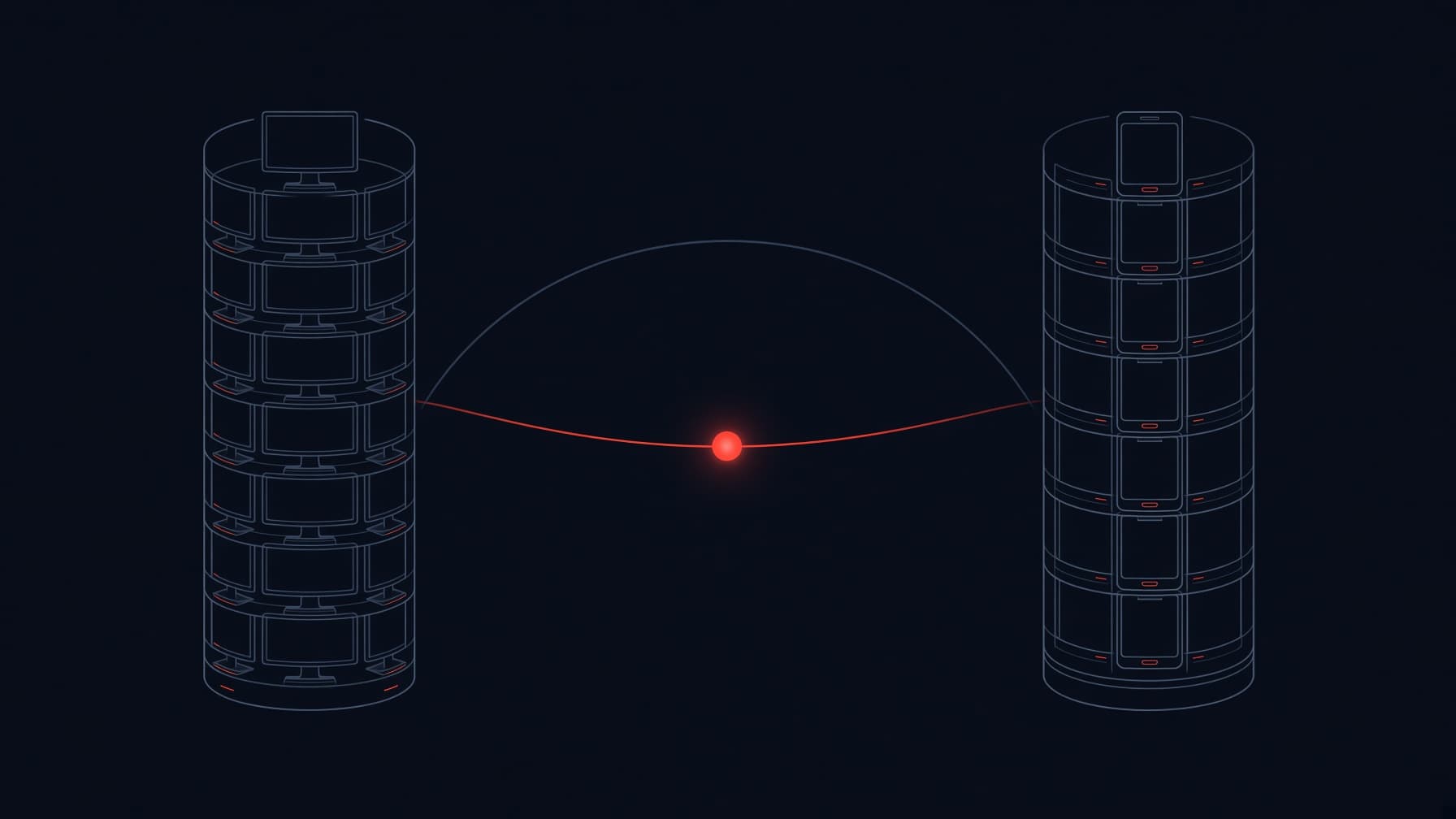
Cross-Platform Saves: How Indie Games Sync Steam and Mobile
Steam Cloud and Play Games never meet: cross-platform saves need one player identity plus neutral storage. Here is how indie games bridge them.
How Do Browser Games Save Data Without a Server?
Browser games keep saves in localStorage and IndexedDB, storage the browser manages on the player's device. Here is how it works and when it fails.

Async Multiplayer Without a Server: 5 Patterns That Work
Async multiplayer works without a server of your own: turn-based moves as cloud documents, client-run idle economies, ghost races, and pass-and-play.