Visual Scripting for 2D Games: A Beginner's Guide in 2026
Visual scripting lets you build a 2D game without typing code, by connecting nodes or building events visually. Here is how it works and where to start.
You can build a real 2D game without writing traditional code, and that's no longer a niche workflow. A visual programming language is a system where you create programs by manipulating graphical elements instead of typing syntax, based on the standard definition summarized from Wikipedia's overview of visual programming languages. For beginners, that means fewer syntax errors, faster testing, and a clearer path from idea to playable prototype. On Egmatic, that matters because the platform is built around visual, node-based game logic, scene editing, real-time preview, and one-click publishing for 2D projects.
What visual scripting actually does in a 2D game project
Visual scripting is best understood as game logic made visible. Instead of writing if, while, or event functions by hand, you connect actions, conditions, variables, and events as nodes or blocks. In a 2D game, that usually covers movement, collisions, UI, score tracking, enemy behavior, scene changes, and win or loss states.
For beginners, the biggest advantage is speed. You can see how a jump works, where health changes, and what triggers a sound effect without hunting through files. That also makes debugging easier when your player won't move or a collectible doesn't register.
Key takeaway: Visual scripting doesn't remove logic. It makes logic easier to read, test, and change.
Visual tools are especially useful in 2D development because many beginner projects rely on repeatable patterns: platformer movement, top-down interactions, simple enemy AI, and menu flow. If you're still comparing approaches, our guide to making a 2D game without coding is a practical next read.
Another reason this approach fits first-time creators is accessibility. Research in learning and assistive technology points to the value of interactive and alternative digital systems in making technical tasks easier to engage with. A 2023 review in IEEE Access examined technologies used in inclusive higher education for students with specific learning difficulties, which supports the broader case for more approachable interfaces in digital creation.
Why node graphs feel easier than code at first
Node graphs map closely to how beginners already think:
- When the player presses jump
- Check if the character is on the ground
- Apply upward force
- Play animation and sound
That flow is easier to follow visually than scanning a script file full of unfamiliar syntax. You still need logic skills, but you can build them one connection at a time.
The best first systems to build with visual scripting
Don't start with an RPG inventory or procedural world generation. Your first visual scripting project should be small enough to finish in a week or two. A short loop teaches more than a huge unfinished design doc.

Table: Beginner-friendly 2D systems to build first
| System | What you learn | Difficulty |
|---|---|---|
| Player movement | Input, speed variables, collisions | Easy |
| Coin collection | Trigger areas, counters, UI updates | Easy |
| Enemy patrol | Timers, direction switching, state flow | Medium |
| Health and damage | Variables, hit detection, game over logic | Medium |
| Scene transitions | Events, conditions, menu flow | Medium |
These systems teach the core patterns used in most 2D games. Once they work separately, you can combine them into a simple platformer, puzzle game, or top-down action prototype.
A strong beginner sequence looks like this:
- Build movement.
- Add one interaction, like collecting an item.
- Add one fail state, like taking damage.
- Add one win state, like reaching an exit.
- Polish with UI, sound, and restart flow.
That order reduces overwhelm because each step gives you a playable result. If your goal is shipping fast, Egmatic fits this workflow well because you can edit scenes visually and test changes in real time.
If you're planning a mobile release later, it also helps to compare tools in our article on the best no-code 2D game engines before your project structure gets messy.
What beginners should avoid in their first project
A lot of visual scripting frustration comes from choosing the wrong scope. Skip these at the start:
- Large open worlds
- Multiplayer networking
- Deep crafting systems
- Branch-heavy dialogue trees with dozens of states
- Procedural generation that needs advanced logic
You can build those later. Early wins matter more than feature lists.
Choosing the right engine or platform for no-code 2D work
Not every visual scripting tool is equally beginner-friendly. Some are attached to large general-purpose engines, while others are designed specifically to simplify 2D creation and publishing.
From the research data, GameMaker is a long-running cross-platform engine created by Mark Overmars in 1999 and developed by YoYo Games since 2007, with its latest iteration released in 2022, according to Wikipedia's GameMaker entry. That history matters because many beginners still look at GameMaker when they want 2D-focused tools.
Still, tool choice in 2026 should come down to workflow, not name recognition alone. Ask these questions before you commit:
- Is the visual logic editor clear enough to read after a week away?
- Can you preview changes quickly?
- Can you publish to your target platforms without extra engineering work?
- Does the tool stay focused on 2D instead of pulling you into systems you don't need?
A good beginner platform removes setup friction, not just coding syntax.
That's where Egmatic stands out for the audience this site serves. Its no-code 2D workflow includes a visual node editor, drag-and-drop scene building, real-time preview, and one-click publishing to Windows, macOS, Linux, Android, and iOS from one project. For solo devs and tiny teams, that solves a problem many visual scripting tutorials ignore: getting from prototype to actual release.
A simple selection checklist before you invest months
Pick the platform that gives you these three things first:
- Fast testing so you can fix logic immediately
- Clear node organization so graphs don't become unreadable
- Straightforward export options for your intended platforms
Fancy features matter less than finishing your first game.
A beginner workflow that keeps your node graphs under control
The biggest beginner mistake isn't lack of talent. It's building one giant graph for everything. Visual scripting gets hard when every action, enemy, menu, and UI rule lives in the same unreadable web.
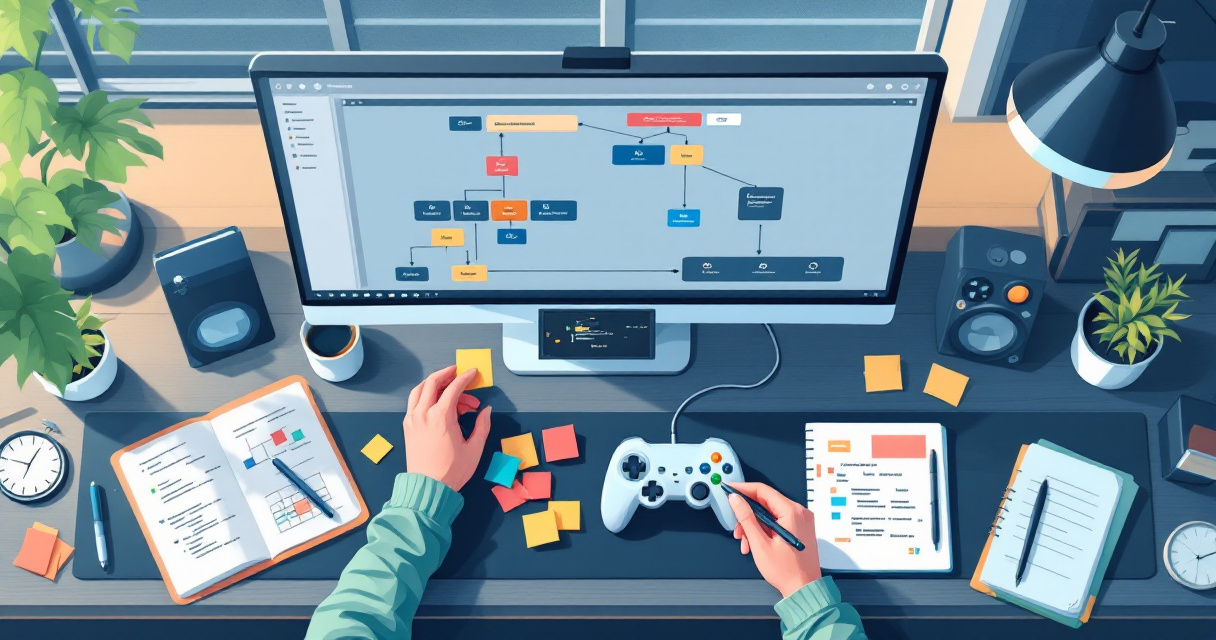
Use a structure like this instead:
- One graph for player control
- One graph for collectibles or score
- One graph per enemy type
- One graph for UI and menus
- One graph for level win or fail conditions
That separation makes bugs easier to find. If the score stops updating, you know where to look.
A practical graph organization pattern
| Area | Keep inside it | Keep out of it |
|---|---|---|
| Player graph | Input, movement, jump, facing | UI logic, enemy patrol |
| Enemy graph | Patrol, damage, detection | Main menu flow |
| UI graph | Health bar, score text, buttons | Physics responses |
| Level flow graph | Win state, restart, next scene | Character animation details |
You should also name nodes and variables in plain language. Use PlayerHealth or CoinsCollected, not vague labels like value1. Future you will be grateful.
There's also a learning benefit here. A 2022 paper in Technium Social Sciences Journal reviewed electronic, VR, and augmented reality games used in ADHD intervention. While it is not a game development tutorial, it adds useful context: interactive digital systems often work best when tasks are structured, clear, and immediate. Beginner visual scripting benefits from that same principle.
For a practical example of readable node logic, using Egmatic to separate scene logic from gameplay rules can save hours of cleanup later.
Debug habits that save beginners time
When something breaks, avoid random changes. Instead:
- Test one mechanic at a time
- Rename unclear variables before adding features
- Check event triggers first, then conditions, then outputs
- Duplicate a working graph before major edits
- Keep one tiny test level for experiments
Those habits are boring, but they beat rebuilding a broken project from scratch.
What to expect from visual scripting for 2D games in 2027
Visual scripting is likely to get more useful, not less. The trend across beginner tools is toward faster previews, cleaner abstractions, and more accessible interfaces. That matters because new creators want to build and ship, not spend weeks wiring technical setup.
Research from adjacent technical fields also points to smarter visual systems. A 2022 survey in IEEE Transactions on Human-Machine Systems via arXiv covered deep learning methods for vision-based human pose estimation, showing how visual interpretation systems continue to improve. While that paper is about pose estimation, not game logic editors, it reflects a larger direction in software tools: more visual, more assisted, and easier interaction with complex systems.
For 2D game creation in 2027, expect a few likely shifts:
- Better graph suggestions and error detection
- Cleaner cross-platform export pipelines
- More reusable logic templates for common genres
- Tighter links between scene design and behavior editing
That's good news if you're starting now. The core skills you learn today — event logic, variables, conditions, and state flow — will carry forward even as tools improve.
Start simple now, and you'll be ready when visual game tools become even faster next year.
Why beginners should start before the tools get even easier
Waiting for the perfect tool is a trap. If a platform already lets you build scenes, connect logic visually, test instantly, and publish from one project, that's enough to learn the skills that matter.
Conclusion
Visual scripting for 2D games is not a shortcut around design thinking. It's a faster way to learn it. If you begin with small systems, organize your graphs early, and choose a platform built for no-code 2D work, you can go from idea to playable prototype much sooner than most beginners expect. Your next step is simple: pick one game loop — movement, one collectible, one fail state — and build it this week. Then use Egmatic to test that loop in a visual workflow and move toward a real multi-platform release instead of another unfinished concept.
Related Posts
Rapid Game Prototyping: The 10 Fastest Tools (2026)
Rapid game prototyping ranked by time to playable: GDevelop free in hours, Construct 3 in-browser instantly, Egmatic with live preview.
12 Best Prototyping Software for Game Devs (2026)
GDevelop is the best free prototyping tool in 2026: no code, playable in 2-4 hours. Construct 3 is fastest in-browser; Egmatic exports to consoles.
2D Physics Engine: Everything You Need to Know
Box2D is the de facto 2D physics engine (Unity, GDevelop; Godot ships its own). Floaty physics usually means wrong world scale: pixels, not meters.