Cross-Platform Saves: How Indie Games Sync Steam and Mobile
Steam Cloud and Play Games never meet: cross-platform saves need one player identity plus neutral storage. Here is how indie games bridge them.
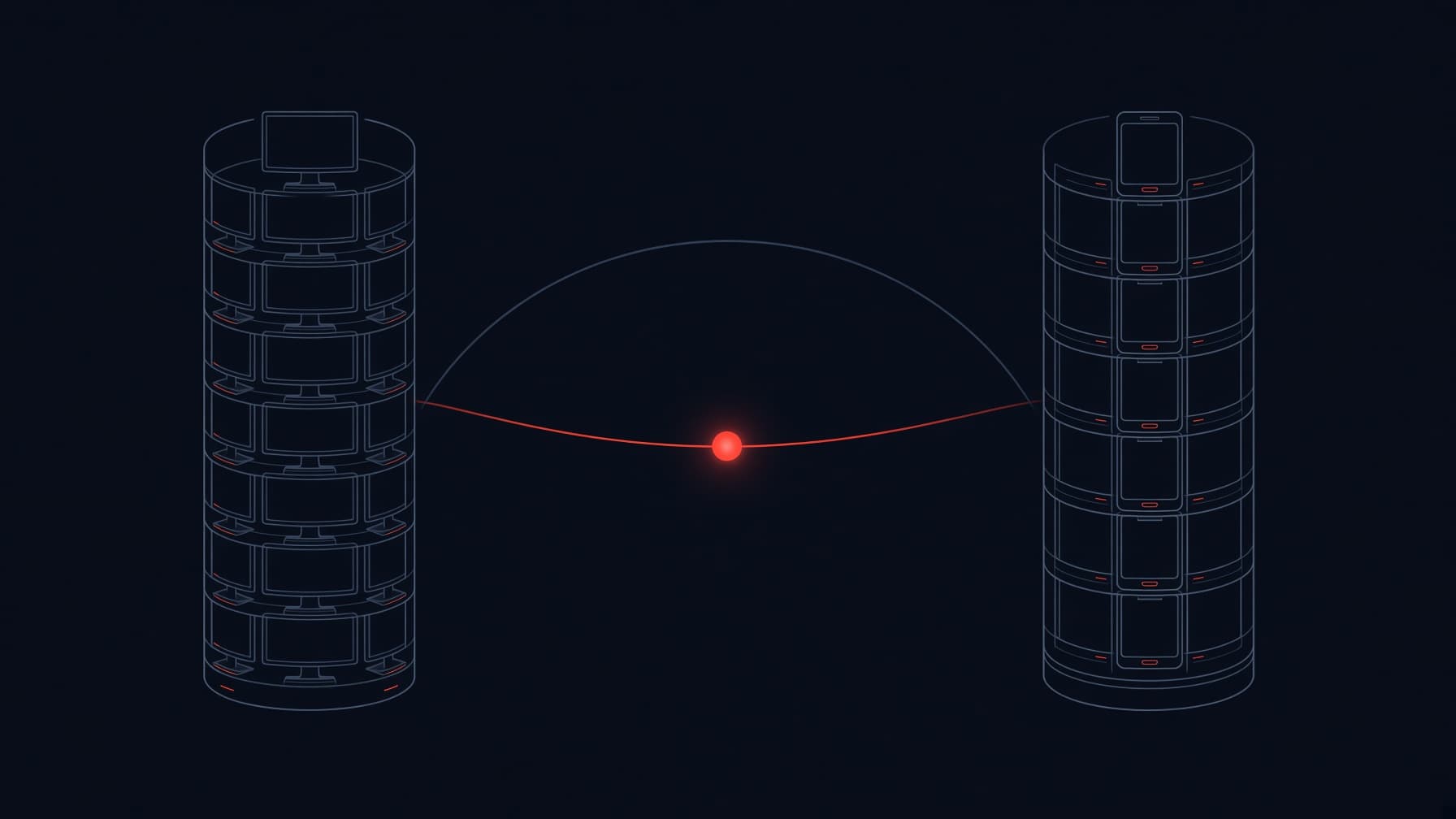
Cross-platform saves need one thing neither store sells you: a single player identity that both the Steam build and the mobile build can prove. Storage is the easy half. Steam Cloud and Google Play's Saved Games both exist, both work, and never once talk to each other, so every game whose progress follows a player from a desk to a bus got there by adding an account layer that sits above the stores and a storage spot that belongs to none of them. The buildable versions of that bridge range from a six-digit code typed into a phone to a rented backend with a free tier, and choosing between them is a design decision before it is a technical one.
The request keeps landing in the community reads we run for this blog, usually as a player question the developer cannot answer: can my save follow me from Steam to my phone? One such thread from our September sweep, a developer asking about a shared session between a Steam build and an iOS build, sat at zero replies in an otherwise busy forum. Silence like that is a signal: the want is common, and the answer is not a product you buy off a shelf; it is an architecture you choose. This article is the reply we would have posted there: what syncs for free, what cannot sync at all, and the shortest bridge a small team can actually maintain.
Two neighbouring articles carry the halves we are leaving out. Per-platform cloud saves, meaning the store-by-store setup of Steam Cloud, Play Games Services and iCloud, are in the cloud saves guide, and what to serialize in the first place is the save system guide. This one is about crossing stores: one player, two platforms that do not know each other. A disclosure before we start: this blog belongs to Egmatic, a no-code 2D editor in pre-alpha, and where cross-device saves sit in our own plans is near the end.
Quick answer
| Your situation | The bridge | What it costs |
|---|---|---|
| One player, several computers | Steam Cloud, with Auto-Cloud if you want zero code | Free with Steamworks; syncs on launch and exit |
| Android phone plus a PC through Google | Play Games Services Saved Games, with the game in the Play Games on PC catalog | Free; 3 MB per save; conflict handling built into the API |
| Steam plus iOS or Android | A player account with both platform logins linked, and neutral storage | Free tiers exist; the real price is owning identity |
| Steam plus mobile, smallest possible effort | Manual transfer: an export code or save file the player carries across | No money and no sync; some support load |
| The game already runs servers for multiplayer or leaderboards | Add the save to the backend you already run | Marginal: one more table and endpoint |
Every row above answers one question in disguise: when the phone build says "this is player X", what lets the Steam build believe it? A save cannot travel further than the account it rides on, and the stores stop exactly at their own walls.
The wall: two good systems that never meet
Steam Cloud is remote file storage wired into the Steam client. You set a byte quota and a file count per user in the Steamworks App Admin, and the files your game writes are replicated to Steam's servers after the game exits. When the player changes computers, the files download before the game launches, so your code just reads disk as usual. Steam synchronizes before and after every session; a player can switch the whole thing off globally or per game, and Auto-Cloud, the configuration-only route, needs no code at all. The reach is every machine where that player signs into Steam: Windows, macOS and Linux installs, Steam Deck included.
That is where it stops. The mobile build of your game is not a Steam client. It has no API to present a Steam account and no way to read that player's cloud files, and this is structure, not neglect: the save belongs to an account Valve controls, accessed through a client Valve ships.
Google's side is a mirror image. Play Games Services Saved Games stores each save as a snapshot tied to the player's Google account, with a 3 MB cap on the save data and an 800 KB cap on the cover image, and the API hands your code both sides of a conflict plus a hook to pick a winner. On an Android phone, and on a PC through the Play Games on PC catalog, that is a complete system. It never meets Steam's.
Neither system is deficient. The gap is that a Steam account cannot be presented to Google and a Google account cannot be presented to Valve, and both companies have sound reasons to keep it that way. When a save has to cross between them, the identity doing the crossing has to be yours.
The free edge of the map
Before building any bridge, check the two cases where cross-device progress is already covered.
Steam only. If the game's entire PC surface is the Steam page you published through the Steam Direct walkthrough, then Steam Cloud already answers the cross-platform question for the PC matrix: several desktops, a laptop, a Steam Deck, a move from Windows to Linux. For a game that also plans a mobile build later, this is the part you get for nothing, and it is worth having before you need it. How many stores your game eventually spans is decided earlier, by engine reach; the engine comparison is its own topic.
Google on both sides. An Android game accepted into the Play Games on PC catalog meets the same Google account on the phone and on the PC, so Play Games Services saves can follow the player between them, and Google's own page for the programme pitches exactly that continuity. This is genuine cross-device sync with no backend and no account of your own. The catch is the gate: the catalog is a curated programme rather than an open channel, and Steam is where most PC indie revenue lives, so in practice this route solves a narrow slice of the problem.
Route 1: the manual transfer, a bridge with no running costs
If the audience is small or the game is a single-player premium purchase, the honest first version of cross-progression is a handoff rather than a sync: export the save on one side, import it on the other.
The design that works looks like this: one export containing everything, with a format version, unlocks, settings and the current run state; a short code or link so the player never has to move files over AirDrop or a cable; the same format accepted in both directions; and the button sitting in Settings under a plain name, not buried in a file manager. A browser game that already ships save export, as browser persistence forces you to, owns most of this already.
The demand exists even where the feature does not. Slay the Spire ships without official cross-save between the PC and mobile versions, and its players built the bridge themselves: a Steam community guide with a script walks a save from PC to Android over USB debugging, and an open-source tool named slayTheCrossSave automates the same trip. Those are your most motivated players hand-rolling a route you did not ship, and some of them will still open a support ticket with you when their homemade sync breaks.
Know the limits. A handoff is one direction at a time, it makes the player do the work, and nothing prevents two diverging copies after the transfer. Treat it as a v1 that also stays useful forever: even games with full account sync keep an export button, because it is the recovery path of last resort when the account itself is the thing that broke.
Route 2: the account layer, the pattern Hades used
When Supergiant brought cross-saving to Hades between the Windows and Switch versions, in a December 2020 patch, the bridge was the Epic Games Store account platform: one account, signed into on each platform, carrying the save across. Strip away the brand and the pattern is universal, and it is the same pattern at every scale from Fortnite down to a two-person team:
- A player account that belongs to your game. Email plus password, or an anonymous device account promoted to a real one later. On iOS there is a rule to know early: Apple's guideline 4.8 says an app offering third-party or social logins must also offer an equivalent privacy-limited option, which in practice puts Sign in with Apple next to Google Sign-In.
- Platform logins linked to that account. On the phone, Google Play Games sign-in on Android or Game Center on iOS, both free identities the player already holds. On Steam, a session ticket: the client obtains an auth ticket from the Steamworks API, your backend validates it through the AuthenticateUserTicket Web API, and gets back the player's 64-bit SteamID. Valve's documentation is explicit that this call requires your publisher key, must run on a secure server, and can never live in client code.
- Neutral storage, one save per player. A blob in a database that no store owns, written by whichever device is online.
The linking flow that avoids email entirely: the player signs into the Steam build, the backend issues a six-digit code valid for ten minutes; the same player opens the phone build, signs in with Google Play Games or Game Center, and types the code. Both logins now point at one account, the merge keeps whichever side holds more progress, and from then on the save follows the player rather than the purchase.
The layer is rentable, which is the part that makes it survivable for a small team. Firebase authentication with the save in Firestore is free up to 50,000 monthly active users with 1 GiB of storage. LootLocker is built around game accounts and progression, with a 1,000-player trial tier and a free licence for non-commercial games. Nakama is open source under Apache-2.0 if you would rather run the server binary yourself. PlayFab and Epic Online Services sit at the larger end of the same shelf. What you are renting is not storage, which is nearly free everywhere, but the identity operations around it: password resets, deletion requests, unlinking, moderation. Those become your responsibility the day the account exists, which is the real argument for the manual transfer first.
Conflict resolution, the part nobody demos
The feature that separates a cross-save from a support queue is the rule for the moment two devices both believe they hold yesterday. Write it before launch, in a paragraph, and make it boring:
- Local-first always. The game writes its save locally and syncs when it can; play never waits on the network, and an offline weekend is a normal case, not an error.
- Revision numbers. Every save carries a revision that only the server increments. A write is accepted when it extends the revision the server holds and rejected when it does not, which turns a silent overwrite into a defined event your code can handle.
- Server timestamps. Order events by the server's clock, never by device clocks, which skew and which players can set.
- A deterministic tie-break. When two genuine revisions race, the winner is picked by a fixed order: more playtime, then more unlocks, then the server clock. The order matters less than the fact that it exists in writing before the first conflict.
- Replace, rarely merge. For a single-player progression save, replacing the whole blob is almost always the right call; merging inventories across two offline sessions is a research project disguised as a feature.
Google deserves specific credit here: the Saved Games API hands your code both conflicting snapshots and a resolution hook, so on that store the decision is forced rather than forgotten. And Steam's own cloud documentation makes the adjacent point from the configuration side: machine-specific settings such as video quality belong outside the synced set, because two machines will fight over them forever.
The test protocol before shipping any sync: two devices, airplane mode on both, play on both, reconnect. Then set one device's clock an hour wrong and repeat. If either run ends in a crash, a duplicated item or a reverted level, the rule is not finished.
What it costs to run
| Route | Money at a small player base | What you really pay |
|---|---|---|
| Steam Cloud or Play Games only | Zero | Configuration and testing |
| Manual transfer | Zero | Support conversations when a code or file fails |
| Rented backend: Firebase, LootLocker, Nakama managed, PlayFab | Zero inside the free tiers named above | Identity operations and data-deletion requests are yours |
| Own serverless backend | Cents per month at indie scale | You are the on-call engineer for saves |
The money is never the blocker at this scale. If the game already runs a backend for leaderboards or multiplayer, the save rides along almost free. The honest costs are design time before launch and queue time after it.
Common mistakes
- Trusting device timestamps. Two clocks on the same player's devices disagree by minutes on a good day, and a manual date change destroys a naive last-write-wins rule.
- Shipping sync without the two-device airplane test. Conflicts that never appeared in development appear within a week of a real player owning a phone and a laptop.
- One account per platform, with no linking path. The player ends up with three half-saves and no way to merge them, which is worse than no accounts at all.
- Syncing machine-specific settings with progress. Steam's documentation warns about this by name; video settings have no business crossing devices.
- Blocking gameplay on the network. A save system that requires connectivity to open the game converts every subway ride into a one-star review.
- Deciding on cross-progression after the save schema is frozen. Retrofitting identity onto a shipped schema is a migration; designing it in early is a field in a struct.
How Egmatic fits
Egmatic, the no-code 2D editor this blog belongs to, is being built around a bet that the hardest section of this article should not have to exist for the person making the game. Persistence that follows the player across stores belongs on the ship layer, next to publishing and analytics: something you configure when you ship, not a service you commission, staff and wake up for. The AI inside the editor plays the same role it plays everywhere in Egmatic, a craft amplifier under your direction: you decide what the save must contain and which rule wins a conflict, it drafts the plumbing, and every file stays yours. We will state the stage plainly: Egmatic is pre-alpha, we announce no dates we cannot keep, and the waitlist at egmatic.com is where you can tell us the two platforms your save needs to cross, because requests that arrive during pre-alpha are the ones that steer the build.
One save, every screen your game ships on.
Egmatic is a no-code 2D editor and engine with a ship layer under active construction: builds at a link, analytics, and persistence meant to follow the player. Reply on the waitlist with the two platforms your save must cross: requests sent during pre-alpha are the ones that steer the build.
Conclusion
Start with the free perimeter: Steam Cloud for the PC matrix, Play Games Services Saved Games on Android, and the Play Games on PC catalog on the days Google lets both sides in. When the game genuinely must cross from Steam to mobile, ship the manual transfer first and read it as market research, because it will tell you whether your players cross devices at all before you spend a weekend on identity. If the demand is real, rent the account layer, keep the linking flow to a six-digit code, and write the conflict rule down before the first sync runs: revision numbers, server timestamps, a fixed tie-break, whole-save replace. Hades crossed stores on an account platform; a solo developer crosses them on a free tier and a paragraph of rules. The stores themselves will never close that gap for you, and that is the whole reason the bridge is yours to build.
Sources
- Steamworks Documentation, Steam Cloud: replication on exit, download before launch, per-user quotas, sync around every session, the machine-settings warning. Read live October 8, 2026.
- Steamworks Web API reference, ISteamUserAuth/AuthenticateUserTicket: publisher key, secure-server requirement, SteamID return. Read live October 8, 2026.
- Android Developers, Cloud save (Play Games Services): 3 MB per saved game, conflict handling in the API.
- Google, Play Games on PC: progress continuity between phone and PC under one account.
- Apple, App Review Guidelines 4.8, Login Services: equivalent privacy-limited login requirement. Read live October 8, 2026.
- Wikipedia, Hades (video game): December 2020 cross-save patch between Windows and Switch, enabled through the Epic Games Store account platform. Read live October 8, 2026.
- Steam Community, Slay the Spire PC-to-Android transfer guide and the open-source tool slayTheCrossSave: community-built cross-save workarounds. Community sources, flagged for the reviewer.
- Egmatic community reads, sweep of September 30, 2026: the unanswered "shared session between Steam and iOS" thread. Internal evidence.
Related Posts
AI-Generated Game Flood: How Human-Made Indies Stay Visible
A third of 2026 Steam releases carry an AI disclosure. Here is what the flood takes from you, what it does not, and what still gets human-made games seen.
Best 2D Engine by Genre: Rhythm, Roguelike, Platformer
Rhythm games need audio-clock precision, roguelikes need iteration speed, platformers need deterministic physics. Pick by genre, not by feature list.
Best Game Dev Community Platforms Compared
Reddit brings reach, Discord your core players, engine forums the best answers, itch.io honest feedback on early builds. What each is for, and the cost.